
Someone trusts you to have their back.
If you’ve been added as an emergency contact on Waywatch, here’s what that means, what an alert looks like, and what to do if you get one.
What it means, and what it doesn’t
You’re one of the people they’d want to hear from if something felt wrong. That’s all. It doesn’t cost anything, and it isn’t forever.
You say yes first
Alex sends you an invite by text or email. You only become their contact if you accept, and you can decline without them being told why.
You only hear when it matters
You get a message when they might need help, and another when they’re safe. No newsletters, no marketing.
Free, with nothing to install
You never pay for alerts and don’t need an account. Alerts open in your phone’s browser.
Step back any time
Stop being their contact, or block invites, from the link at the bottom of any Waywatch email.
What an alert looks like
You might get one or more of these, depending on how they’ve set things up. Each one points you to the same alert page.
The link opens their alert page
No app, no account, no password. It works on any phone or computer.
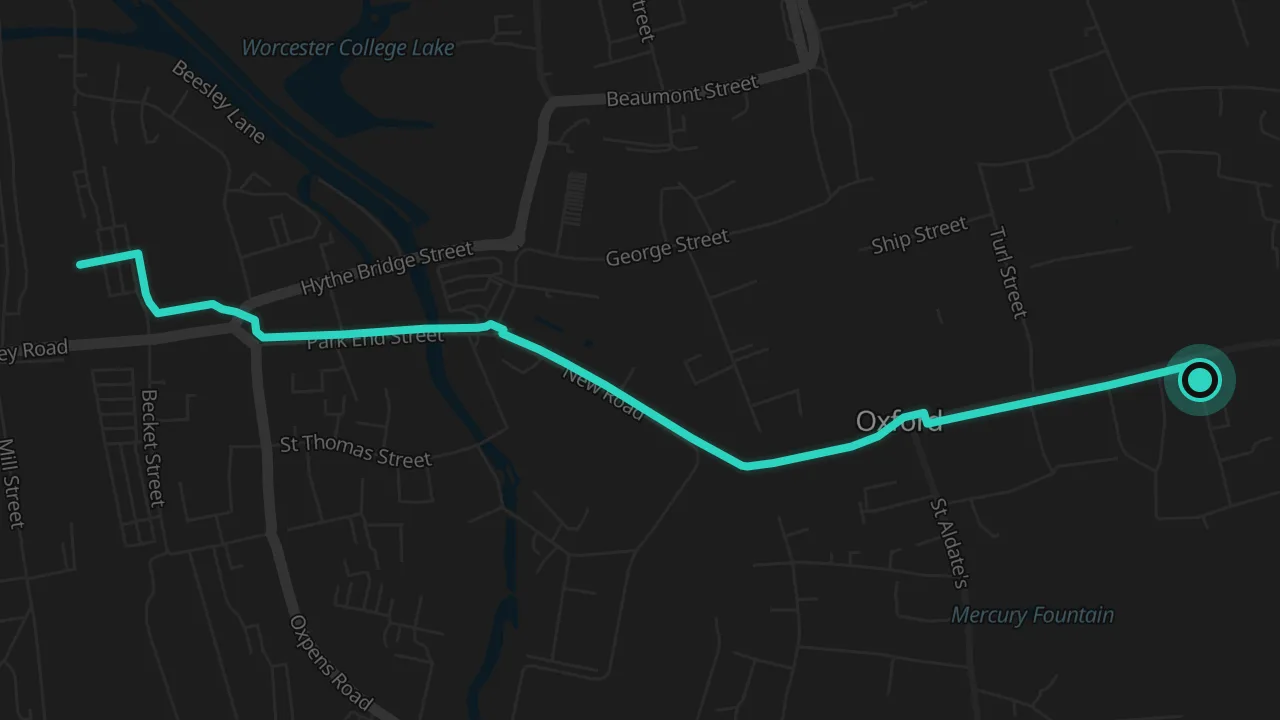
- Where they are, updating live, with the route they took
- What happened and when, step by step
- Who else has been told, and who’s next
- Recordings from their phone: audio, video and movement
- Battery, signal and other clues to where they might be
- Their medical ID, if they’ve shared it, for whoever reaches them
What to do
You don’t need to be an expert. You just need to check in, and call for help if they can’t.
Open the link
It shows where they are right now and what’s happened. Keep it open: it updates by itself.
Try to reach them
Call or message them. They might have set it off by accident, or be somewhere they can’t talk.
Can’t reach them, or think they’re in danger? Call 999
Say who they are, that their safety app raised an alert, and read out their latest location from the link. If they’re abroad, call the local emergency number where they are.
Stay with the page
If they end the alert, you’ll get a message saying they’re safe, or that it was a false alarm.
Calling 999 when you’re genuinely worried is never a waste of their time. If it turns out they’re fine, that’s the best outcome.
You’ll know when they’re safe
When they end the alert, everyone who was told gets a message, the same way the alert arrived.
Alex has ended their Waywatch alert and says they’re safe now.
Alex says their Waywatch alert was a false alarm. No help is needed.
Alex may also ask us to tell you when they check in safely after a walk home: a short “checked in safely at 22:14”, with no location. You can turn those off (in the app, or from the link at the bottom of the email) and still get their alerts.
Haven’t heard anything? The alert is still open. Check the page, keep trying them, and call 999 if you’re worried.
Stepping back is always OK
Every invite has a link to decline it, and every Waywatch email has a link at the bottom to manage your invites.
Stop being someone’s contact
You won’t get their alerts any more. They can ask you again later, and you can say no.
Block one person
They can’t invite you again. Nothing changes for anyone else.
Block all Waywatch invites
Nobody can add you as a contact. You can undo it from the same link.
Questions contacts ask
Why did I get an invite?
Someone who knows you added you as an emergency contact in Waywatch, a personal safety app. The invite comes from them, by name. If you don’t know them, decline it and block invites from them.
Do I need the app?
No. Alerts arrive by text message or email and open in your browser, with no account. If you install Waywatch you also get instant notifications, which are harder to miss.
Does it cost me anything?
No. Being a contact is free, and you’re never charged for the texts or emails we send you.
Can they see where I am?
No. Being someone’s contact shares nothing about you. It works one way: you see their location, only when they send an alert or choose to share it.
What if I miss an alert?
They choose who’s told and in what order, so others are usually told too, straight away or a few minutes later. The link keeps working for 30 days, so you can still check what happened.
Who else can open the alert page?
Anyone with the link, so only forward it to someone who can help, like the police. Access ends 30 days after the alert.
What does Waywatch keep about me?
Your name and the phone number or email address they gave us, and whether you’ve said yes. Nothing else. The privacy policy has the detail.
Want alerts you can’t miss?
With the app, alerts arrive as notifications straight away. And you can use Waywatch for yourself, free.