Your safeword
Say a word or phrase only you would choose, and the alert starts. No need to touch the phone.
 Waywatch
 keeps an eye on your journeys, listens for trouble, and alerts the people you trust with your live location. They don’t even need the app.
Made for the walk home, the late shift, nights out and first dates.
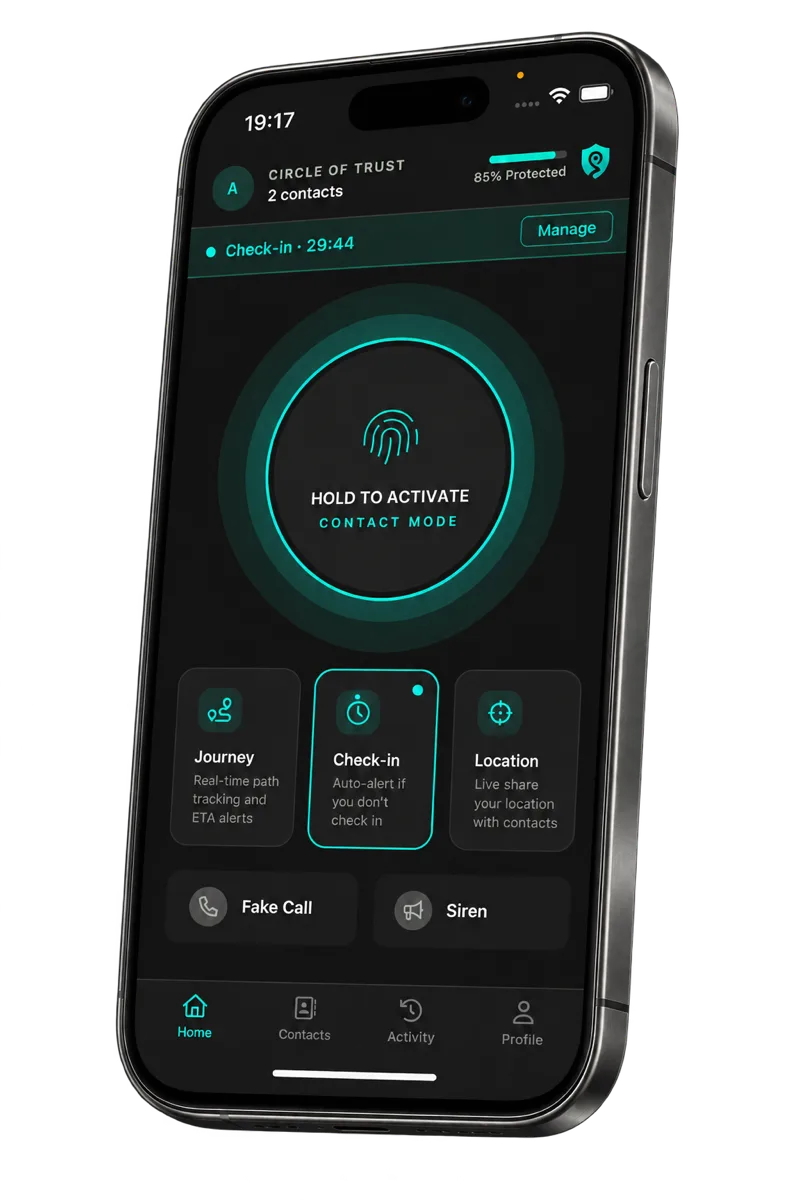
Waywatch checks with you before it tells anyone, and then tells only the people who need to know, in the order you chose.
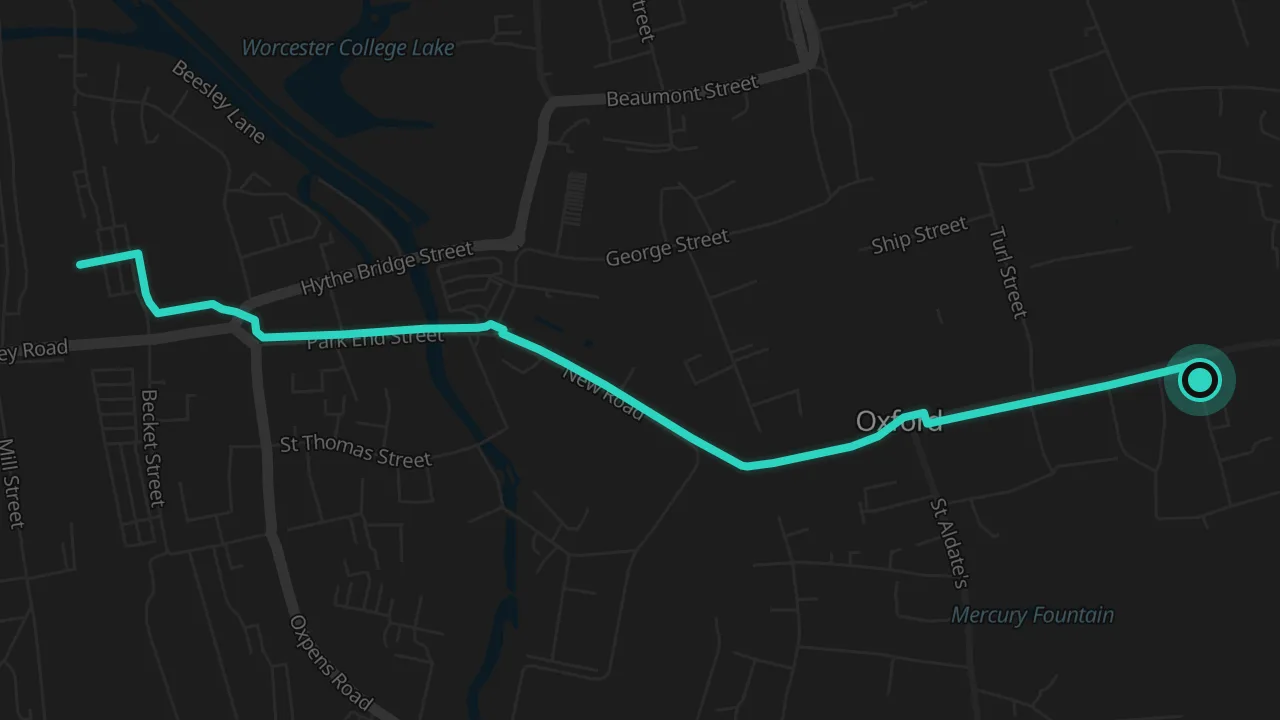
More about journeysPick home, and Waywatch plans the route, knows when you should arrive, and keeps watch.
Headphones in, you take the wrong road and start heading away from home.
It notices you’re heading the wrong way and asks if you’re OK. One tap stops the countdown before anyone is told.
Your phone’s in your bag, so the countdown runs out. She’s told first, with your live location. Your other contacts are only told if it carries on.
She can see exactly where you are and talks you back onto your route. You end the alert, and she gets a message that you’re safe. Nobody else was bothered.
Waywatch sees you’ve arrived and ends the journey by itself.
You choose how each contact is reached. Whichever way it arrives, the link opens your live location and what’s happening, with guidance on when to call 999. No download, no account.
Beyond where you are, your contacts see what your phone captured from the moment the countdown started, so they can judge what’s happening and tell 999 exactly what they know.
Short clips from the back camera, and the front camera too when both are recording, uploaded as the alert goes on.
Listen back to what the phone heard, piece by piece. On Premium, a transcript and how many voices there were.
How much battery is left, and whether the phone is on Wi-Fi or mobile data, and with which network.
The networks the phone could see: a fingerprint of where it was, even indoors where GPS struggles. On Android phones.
How high the phone is, to help work out if they are in a building. An estimate of which floor, from the barometer, is on its way.
Blood type, allergies, conditions, medication and who to call, if they have added them, for whoever reaches them first.
You won’t have to remember to press record. Camera, microphone, location and movement start capturing as soon as the countdown begins, and it all goes with your alert, timestamped and in one place.
That record can matter. A face caught on camera, a voice, or something said in the moment could be what helps identify who was there and hold them to account.
More about what’s recordedWhat your contacts can open is shown in For contacts.
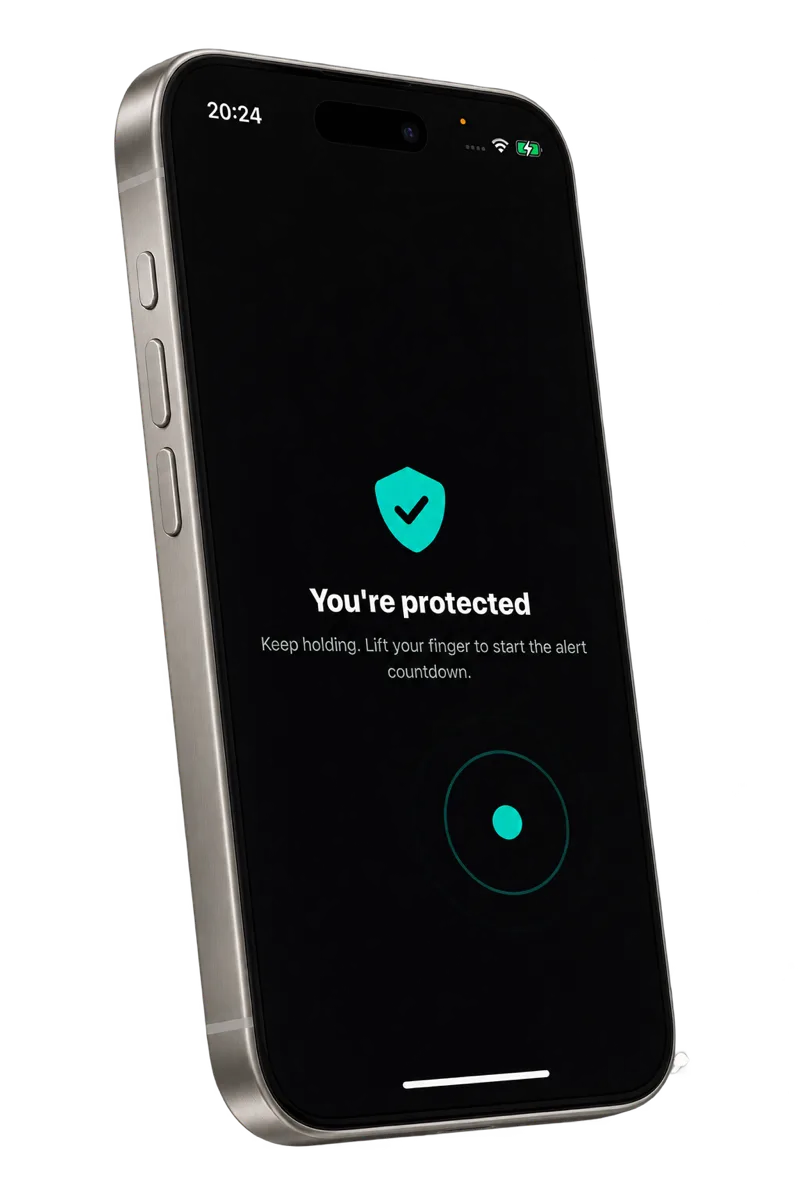
Open Contact Mode and keep your thumb on the screen. As long as you’re holding, you’re protected. If you let go, or the phone is knocked or grabbed from your hand, the countdown starts. Put your thumb back and it stops. If you can’t, your contacts are alerted.
More about Contact ModeIt only arms after a deliberate hold, so a stray tap won’t start anything.
Contact Mode shows a clear “You’re protected” screen by default. If you’d rather nobody could tell, turn on a disguise in its settings: the screen can look like an email inbox, or go fully black with a silent countdown. It works the same underneath.
Turn on Unlock to cancel and stopping an alert needs your Face ID, fingerprint or passcode.
While you’re on a journey or a check-in, Waywatch can listen and feel for trouble. Pick the triggers that suit you, and any of them starts the countdown for you.
More about smart triggersSay a word or phrase only you would choose, and the alert starts. No need to touch the phone.
A scream or a sudden, loud confrontation, past a level you set for where you are.
A trip, a collapse or a fall from height, followed by too little movement.
A sharp impact while you are travelling at driving speed.
A sudden yank out of your hand, then the phone moving fast or your headphones dropping out.
You set off on foot, then you are suddenly moving at car speed when you didn’t plan to be.
Keeps going with the phone locked, in a pocket or a bag.
Every trigger gives you time to cancel before anyone is told, so a false alarm stays private.
Your safeword is recognised on the phone itself, never sent anywhere. It listens while you’re protected, or all the time if you choose.
What matters is a glance away, for you and for anyone who comes to help.
More about widgets and the lock screen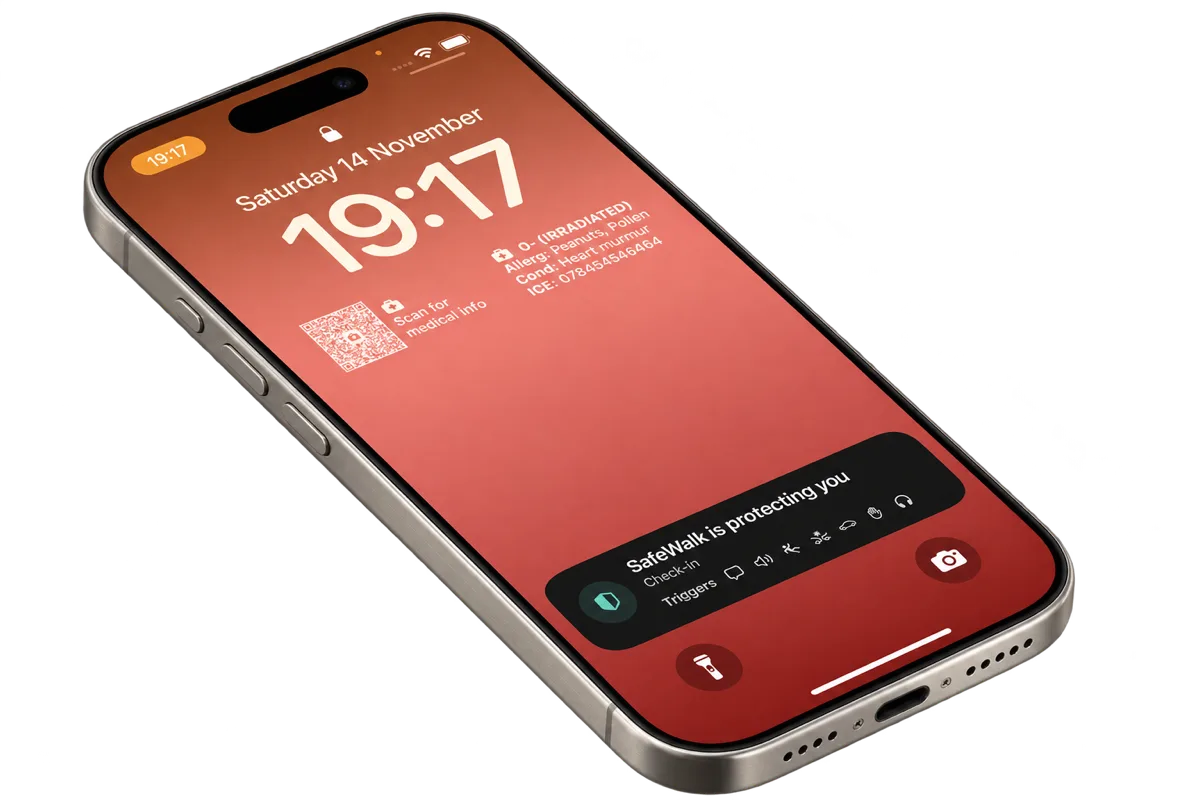
A Live Activity shows what’s running, like a check-in or a journey, and which smart triggers are listening. If an alert starts, its countdown appears right there, so you can cancel without unlocking.
Lock screen widgets show your blood type, allergies, conditions and who to call, with a QR code a paramedic can scan for the rest. No passcode needed.
Live Activities and lock screen widgets on iPhone.
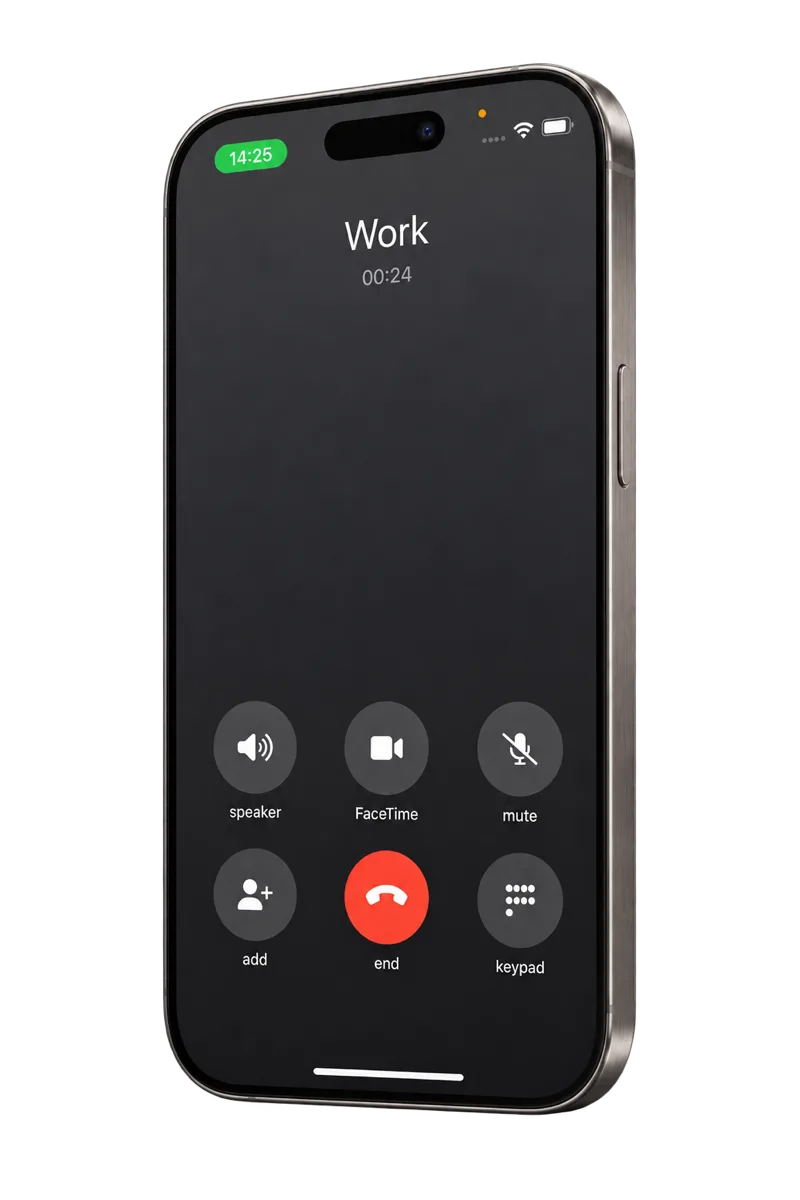
Stuck in a conversation you want out of, or somewhere that doesn’t feel right? Set a call to ring when you need it. On iPhone it uses your phone’s own call screen, so it looks like the real thing, even with your phone locked.
More about fake callsTurn on “Alert from fake call” and typing your code on the call’s keypad starts an alert, while the call carries on and nobody near you is any the wiser.
Going on a date or a late shift? Set a time to check in. Miss it and your contacts are told. Get somewhere safe and it can check you in for you.
A loud alarm from your phone to draw attention and put someone off. Start it from the home screen, or make it a step in your alerts.
Share where you are for as long as you choose: your exact path, just your general area, or only where you are now. The link stops when you stop.
Not every worry is an emergency. Make someone you trust a guardian, and they can check where you are when they need to, without anything having gone wrong. “Did she get home?” answered in a tap, not a string of unanswered texts.
Only people already in your emergency contacts can be made guardians, and only by you.
Approve each request yourself, or let a guardian see your location straight away. Either way they get where you are right now, not where you have been.
One switch stops every guardian request until you turn it back on, and each request is logged.
Your safety data is about the most personal thing you have. It’s used to protect you, and for nothing else.
Everything travels over encrypted connections and is stored encrypted on Google Cloud.
Not with advertisers, data brokers or analytics companies. Waywatch has no ads and no tracking.
The few services we use, like our cloud host and the companies that deliver your texts and emails, only process your data to do that job. AI features only see it when you, or your contacts, ask for them, like a transcript.
Cancel a countdown and it’s deleted, recordings and all. Download your data or delete your account from the app, any time.
Every alert mode, every smart trigger and your contacts’ live view cost nothing. Upgrade for texts, extra tools, your family, or 24/7 responders.
Prices include VAT. Protect Plus is priced per protected person. Cancel any time in your App Store or Google Play settings.
Waywatch only uses GPS and the microphone while you’re protected, during a journey, a check-in, Contact Mode or live location, and stops when that ends. It isn’t running all day.
No. Smart triggers listen on your phone, during a journey, check-in or live location (or all the time, if you turn that on), and nothing they hear is sent anywhere. Recording only starts when an alert’s countdown does, and it’s deleted if you cancel.
Not by itself. When an alert reaches that step, Waywatch puts a Call 999 button on your screen with your nearest address ready to read out, and tells your contacts when they should call.
No. Alerts arrive by text message or email, and the link opens your live location with no download or account. Contacts who do install Waywatch also get instant push alerts.
Yes, both. A few features depend on the phone: Live Activities and lock screen widgets are on iPhone, and nearby Wi-Fi is recorded on Android.
Yes, any time, from the app or from the link at the bottom of any Waywatch email. They choose to be your contact in the first place, too.
Set it up tonight, before you need it. Three steps and you’re covered on the walk home.
Free on iPhone and Android · No card needed